Changelog

Follow new updates and improvements to ReactIn.

Changelog #13 | Find leads that look like your best customers
.

Hey GTM Experts πŸ’™

One month since our last changelog, we don't like spam, we talk when we ship real stuff πŸ’ͺ. And good news, we have 3 game-changers for you. This might be our biggest changelog yet.

Let's go πŸ‘‡


1️⃣ NEW Scraper: Lookalike Leads 🎯

This is the one we've been teasing for months.
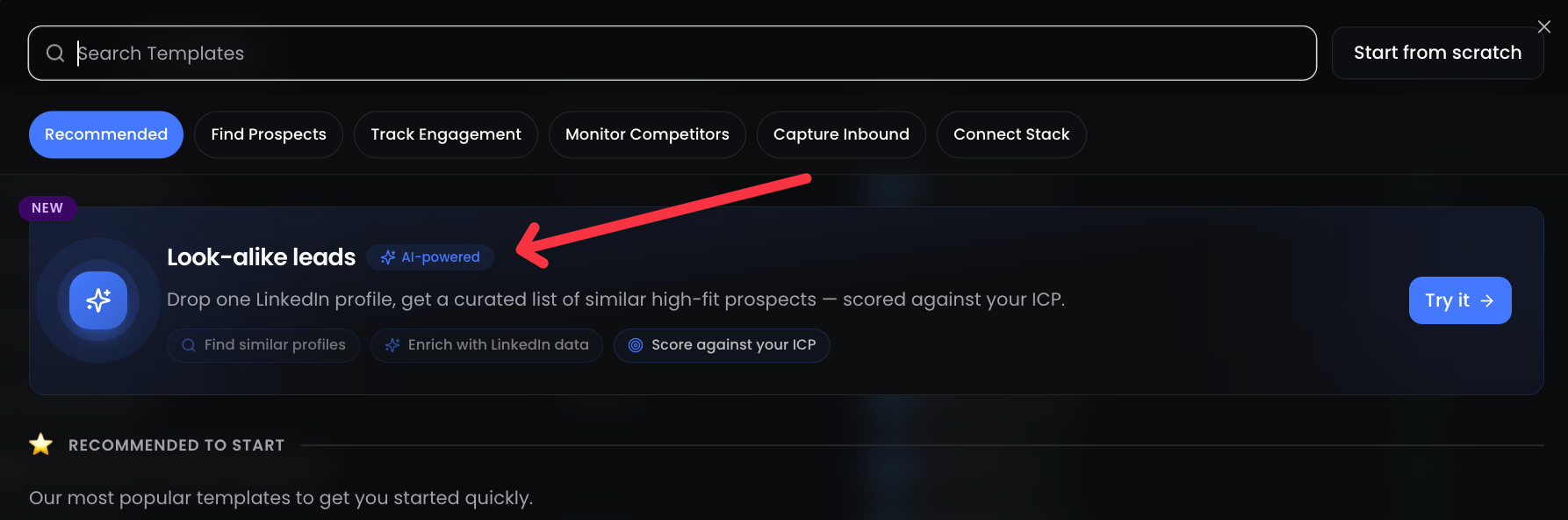
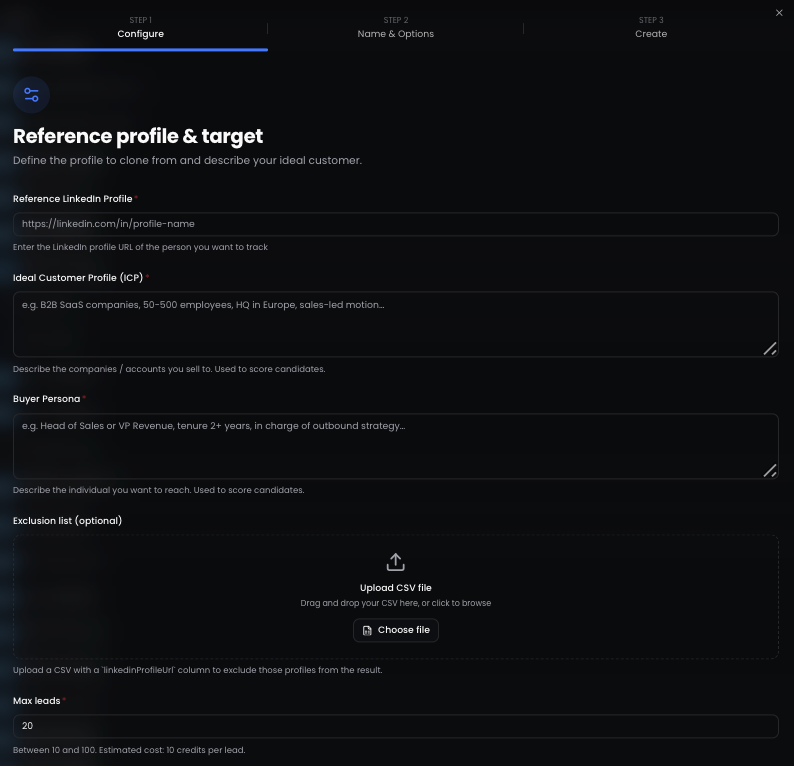
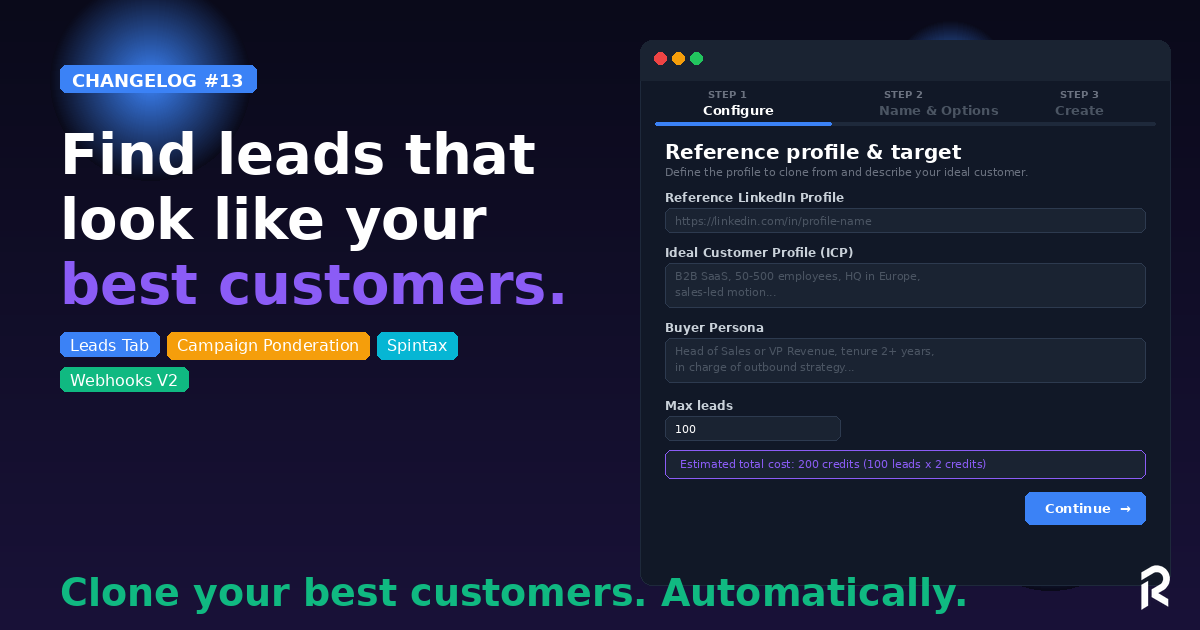
Give ReactIn a LinkedIn profile URL, describe your ICP and Buyer Persona, and we'll find up to 100 leads that match. Automatically.

Here's how it works:

  • Enter a reference LinkedIn profile (a top customer, a competitor's founder, an industry leader)

  • Describe your ICP (e.g. "B2B SaaS companies, 50-500 employees, HQ in Europe, sales-led motion")

  • Describe your Buyer Persona (e.g. "Head of Sales or VP Revenue, tenure 2+ years, in charge of outbound strategy")

  • Upload an exclusion list (optional: CSV of your existing customers to exclude)

  • Set max leads (10 to 100) and let ReactIn do the work πŸͺ„

Credit cost: 10 credits per lead. Full transparency, visible before you hit "Continue." And a few moments later, you’ll get all your new, fresh leads coming from our own β€œwaterfall scraping machine” βš™οΈ

This is intent-based prospecting taken to the next level. You're cloning your best customers.


2️⃣ NEW: Leads Tab

You now have a unified view of every lead across all your lists.
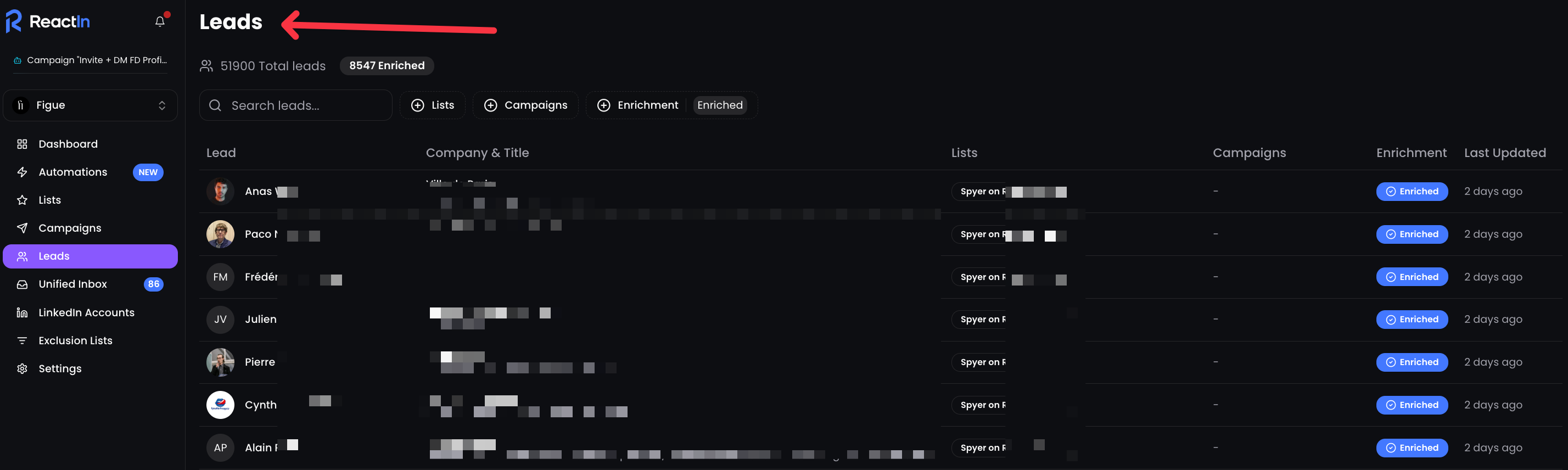
All your leads, enriched or not. From all your lists. All searchable, filterable, and organized.

Filter by list, by campaign, by enrichment status. See which lists and campaigns each lead belongs to. Track enrichment progress at a glance.

No more switching between lists to find a lead. One tab. Full visibility.


3️⃣ Campaign Ponderation

Running 15+ campaigns at the same time? Now you control how your daily quota is distributed across them.
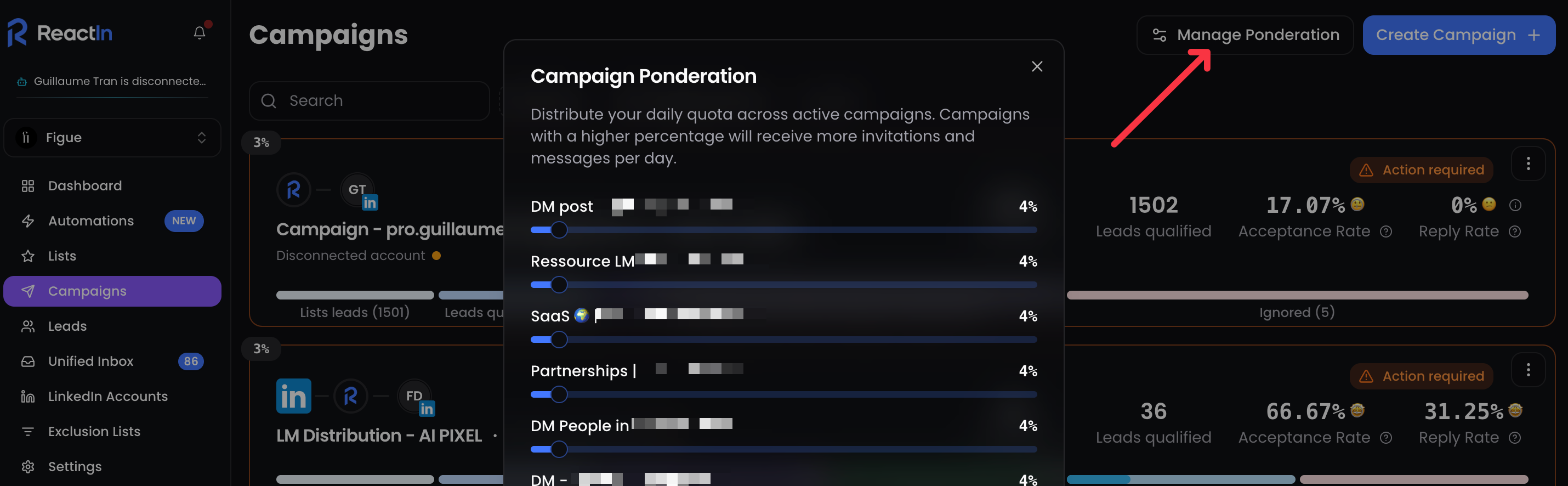
Manage Ponderation lets you assign a weight (%) to each active campaign. Campaigns with a higher percentage get more invitations and messages per day.

Your most important campaigns get priority. Your experimental ones run in the background. You decide.

Perfect for agencies and power users managing multiple accounts with dozens of active campaigns.


βš™οΈ Improvements

  • New Webhook Events: "Lead Updated" and "Invitation Sent" are now available as webhook triggers, plus the ability to send a test payload before going live.

  • Message Preview: See exactly how your message will look for a specific lead before sending. Variables get replaced with real data. No more guessing.

  • Spintax in Messages: Use {Hey|Hi {FirstName}|Hello} to randomly vary your messages. Each lead gets a slightly different version. More human, better deliverability.

  • Timezone per LinkedIn Account: Set the timezone directly from your LinkedIn Accounts settings. Your messages land during business hours, wherever your prospects are.


πŸ‘‰ Try it now in your dashboard πŸ’™ How many lookalike leads are you going to generate?

François & The ReactIn Team ⚑

NewImproved

Changelog #12 | Distribute Lead Magnet Automation is LIVE 🧲

Hey GTM Experts πŸ’™

This one's been cooking for weeks. And it might be the most powerful automation we've ever shipped.

Let's go πŸ‘‡


1️⃣ NEW Automation: Distribute Lead Magnet πŸ’Œ

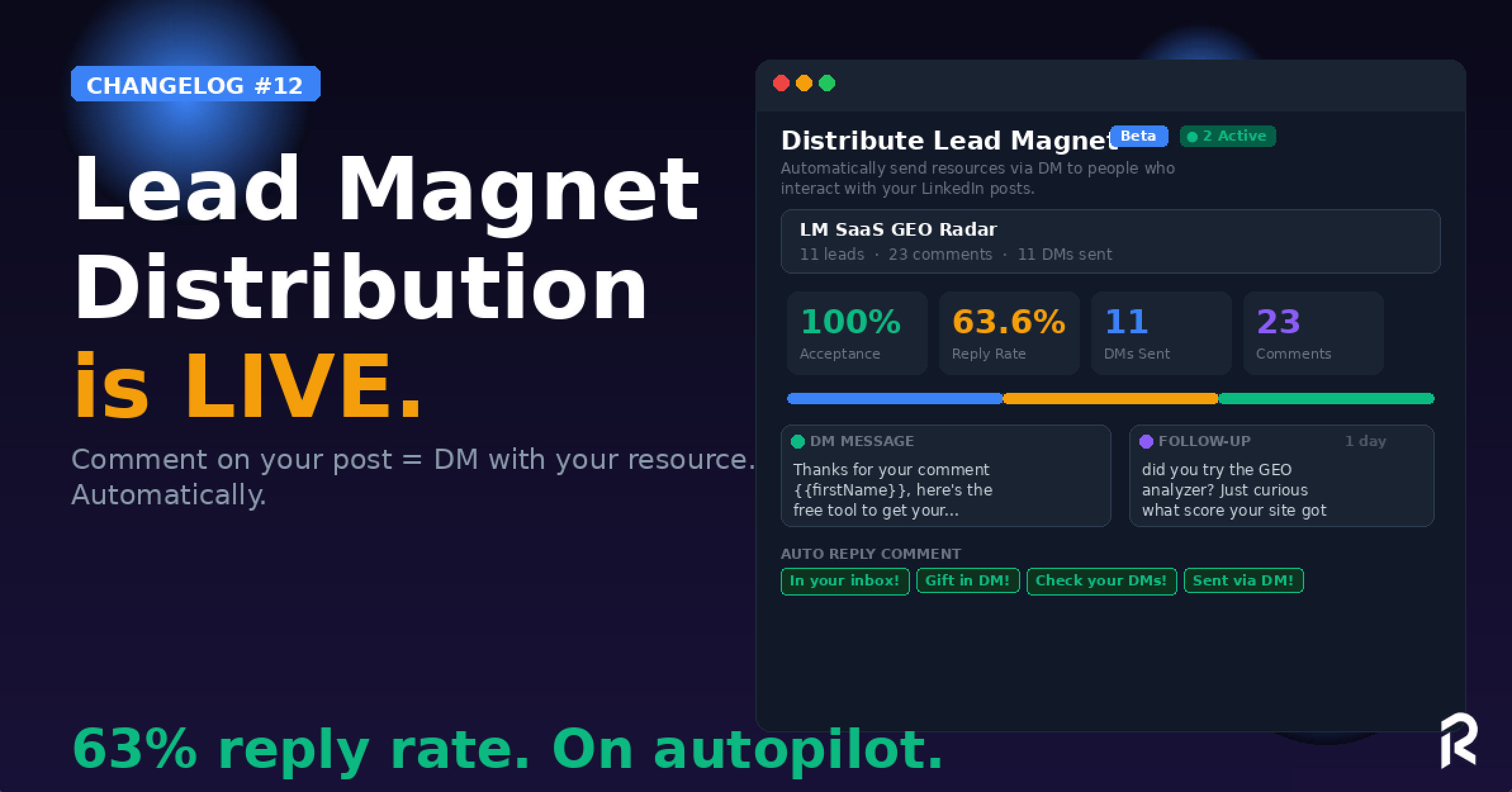
Someone comments on your LinkedIn post? ReactIn.io auto-sends your lead magnet via DM. Instantly.

Here's the full flow:

  1. Link a LinkedIn post (your lead magnet post)

  2. Set your DM message with + your resource link

  3. Add a follow-up (optional, e.g. 1 day later: "did you check it out?")

  4. Auto-reply to the comment (optional: "In your inbox!", "Gift in DM!", "Check your DMs!" or any custom reply)

  5. Sit back. ReactIn handles the rest.

Already live on our own account with insane early results:

πŸ“Š 11 leads, 23 comments, 11 DMs sent, 100% acceptance rate, 63.64% reply rate

That's not a typo. 63% reply rate. On autopilot.

The best part? It has priority over campaigns. Meaning your lead magnet DMs will always be sent first, before any other campaign message. Your hottest leads get served first.

Works in "Comments only" mode: only people who comment get the DM. No spam. Pure intent.

πŸ‘‰ Go to Automations β†’ Distribute Lead Magnet β†’ Add a post


2️⃣ Profile Followers Scraper: Weekly Mode

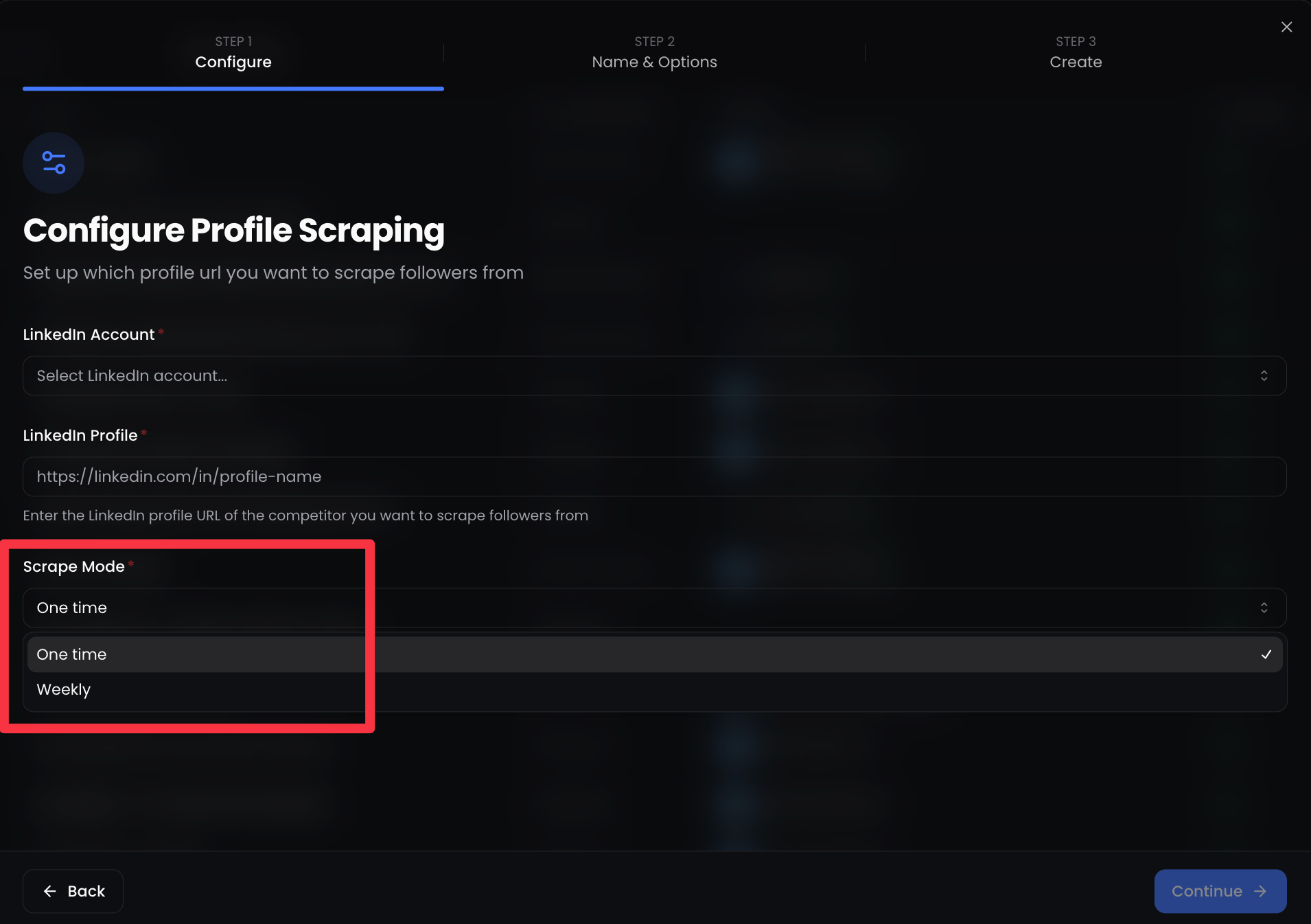
Our Profile Followers scraper just got recurring.

Go in Lists / New List / LinkedIn Profile Followers πŸ•΅οΈ

You can now set it to scrape weekly, automatically. New followers from any LinkedIn profile (yours, a competitor's, an industry leader's) get added to your list every week.

No manual re-runs. Set it once, let it compound.

Perfect for:

  • Tracking who follows your competitors

  • Building retargeting lists that grow on autopilot

  • Feeding your campaigns with fresh ICP leads every week


πŸ‘‰ Try it now in your dashboard πŸ’™ Which lead magnet are you going to distribute first?

François & The ReactIn Team ⚑

NewImproved

Changelog #11 | Automations are here. And that's just the beginning 🀫


Hey GTM Experts πŸ’™

Nearly one month since the last update. We've been heads down, shipping features that make ReactIn feel less like a tool and more like a system, and building in public as much as we can because we truly believe in building this journey with you!

The team behind https://www.reactin.io/

Let's get into it πŸ‘‡


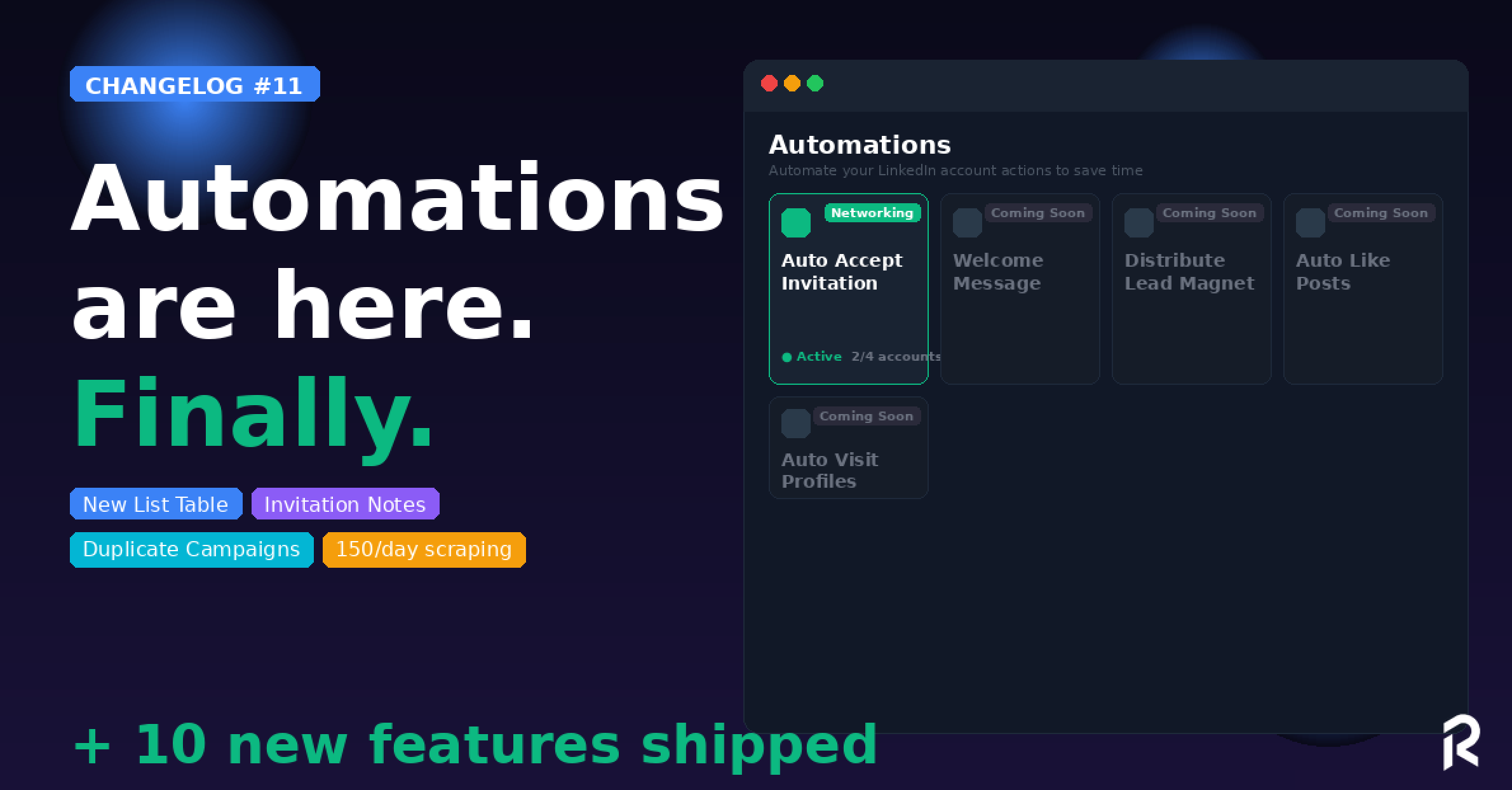
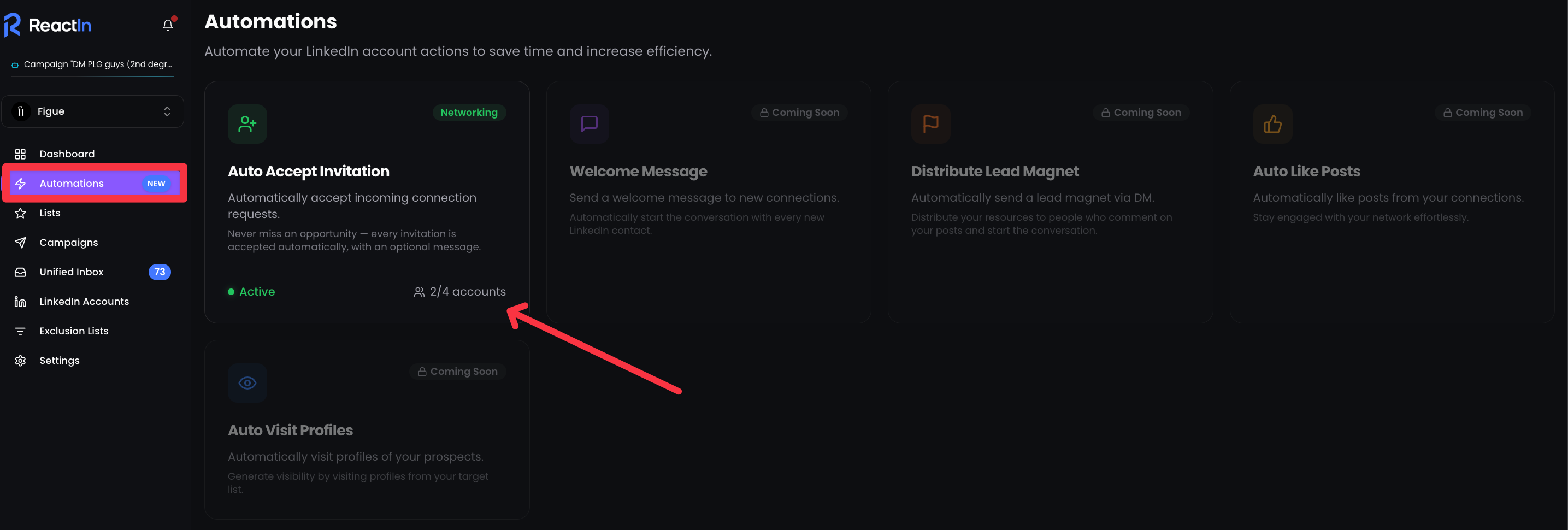
1️⃣ NEW: Automations Tab

This is the big one.

ReactIn now has a dedicated Automations section. We’re working on it to make this workflow easier than ever for our customers.

First automation live: Auto Accept Invitation ⚑️

Automations Tab is LIVE πŸ”₯

Every invite is an opportunity. Now every invitation is accepted automatically, with an optional message.

And that's just the start. Coming very soon:

  • πŸ“© Distribute Lead Magnet

  • πŸ‘‹ Welcome Message

  • ❀️ Auto Like Posts

  • πŸ‘€ Auto Visit Profiles

We're building the LinkedIn automation layer. One automation at a time.

πŸ‘‰ Try it now in your dashboard πŸ’™


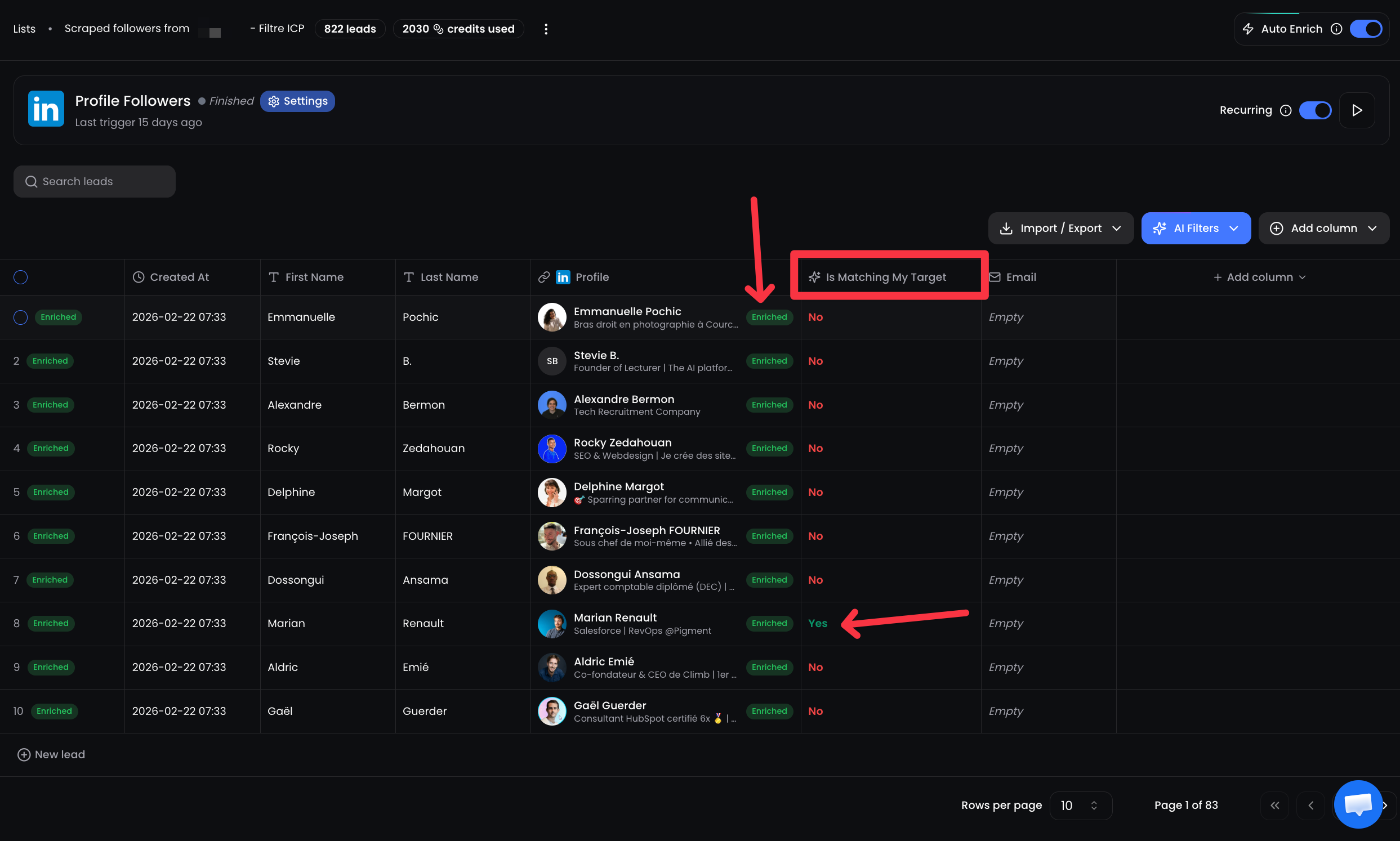
2️⃣ Brand New List Table

The List Table got a complete redesign.

New UI/UX, cleaner layout, and the big thing: full LinkedIn enrichment is now displayed directly in the table for any AI filter column you add.

The new full LinkedIn enrichment UI/UX

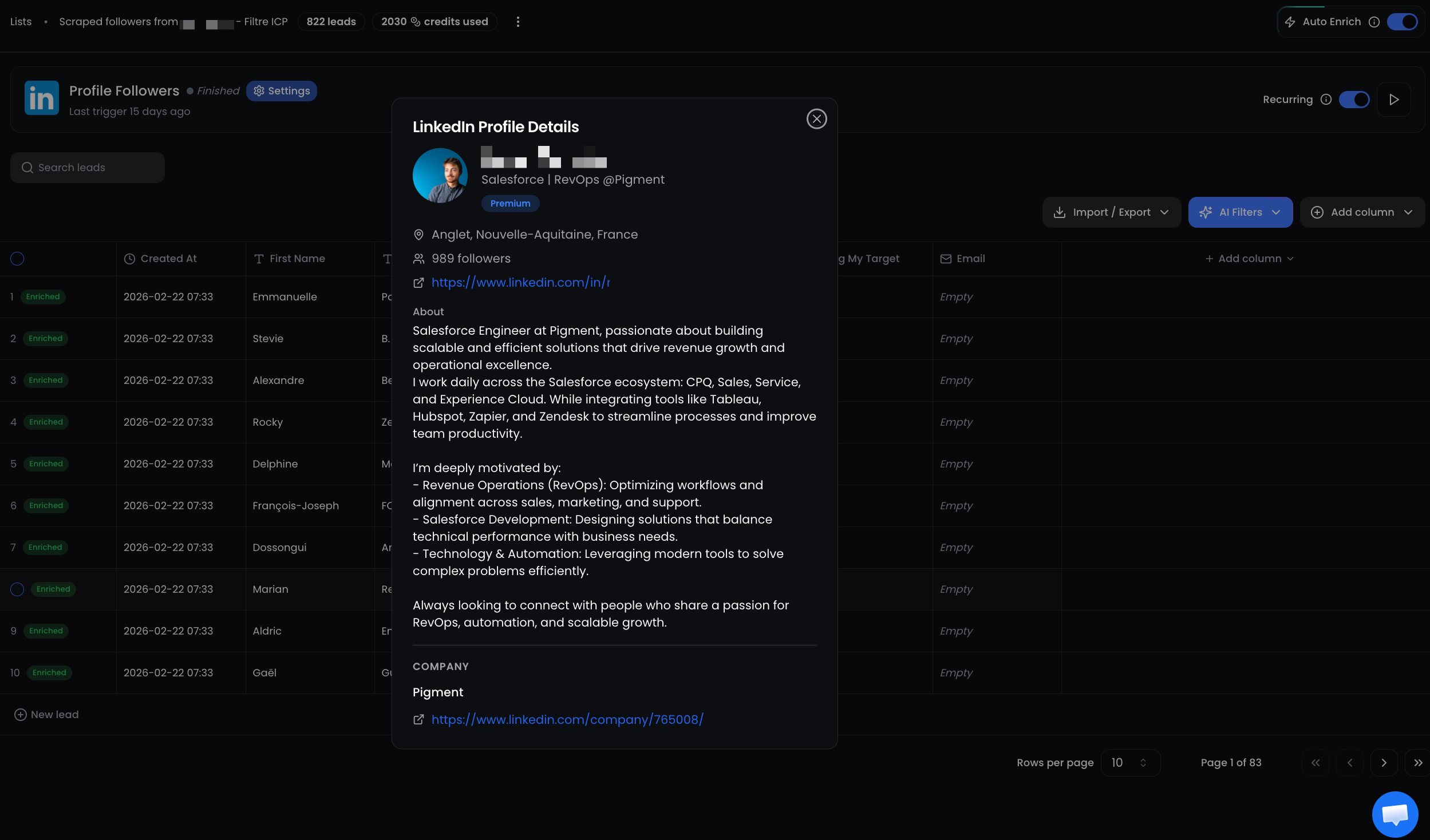
Click on any lead β†’ see their full LinkedIn profile details, about section, company info, right inside ReactIn. No more switching tabs.

You can now see (and download) full LinkedIn profile once you enriched them

πŸ‘‰ Try it now in your dashboard πŸ’™


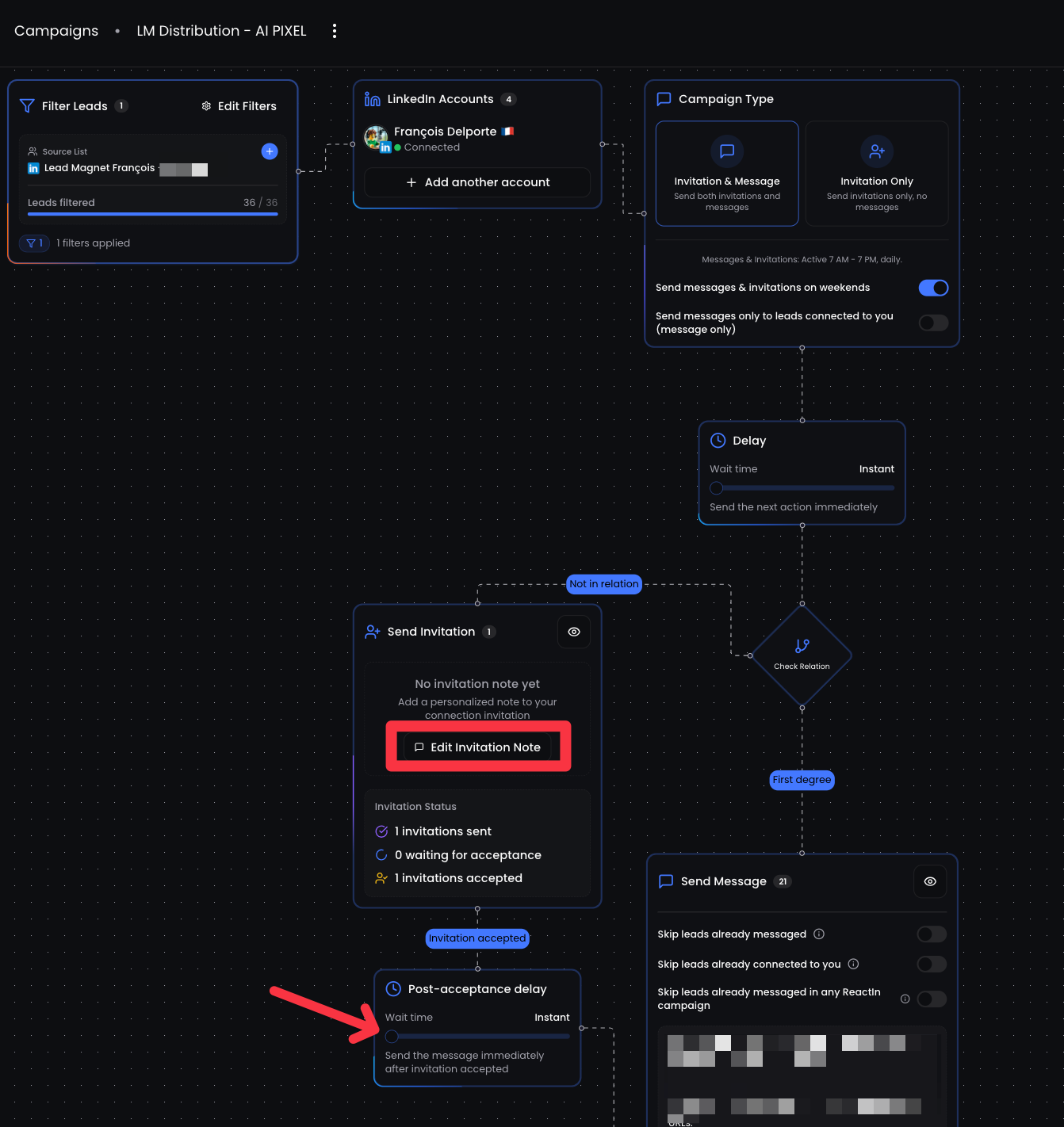
3️⃣ Invitation Notes + Post-Acceptance Delay

Two features, one workflow upgrade:

βœ… Invitation Note: You can now add a personalized note to your connection requests. Optional, because sometimes a blank invite converts better.

βœ… Post-Acceptance Delay: Set a wait time between the moment your invite is accepted and your first DM. No more instant messages that scream "bot."

Natural timing = better reply rates.

Invitation Notes + Post-Acceptance Delay

πŸ‘‰ Try it now in your dashboard πŸ’™


4️⃣ Duplicate Campaigns (with filters)

You could already duplicate campaigns. Now you can copy the filters too.

One toggle. Your entire campaign setup, lists, filters, everything, cloned in seconds.

Perfect for scaling what works across segments or accounts.


5️⃣ Campaign Stats Split by Source List

For multi-list campaigns, you can now see performance broken down by source list.

Which Spyer converts best? Which Pixel list drives more replies? Now you know.

Data-driven optimization, not guessing.


6️⃣ "Skip leads already messaged in ANY ReactIn campaign."

New campaign filter option.

Until now, you could skip leads already messaged in the current campaign. Now you can skip leads already messaged in any ReactIn campaign, across all your campaigns.

Zero overlap. Zero double-messaging. Clean outreach at scale.


βš™οΈ Quality-of-Life Upgrades

List Templates Reorganized
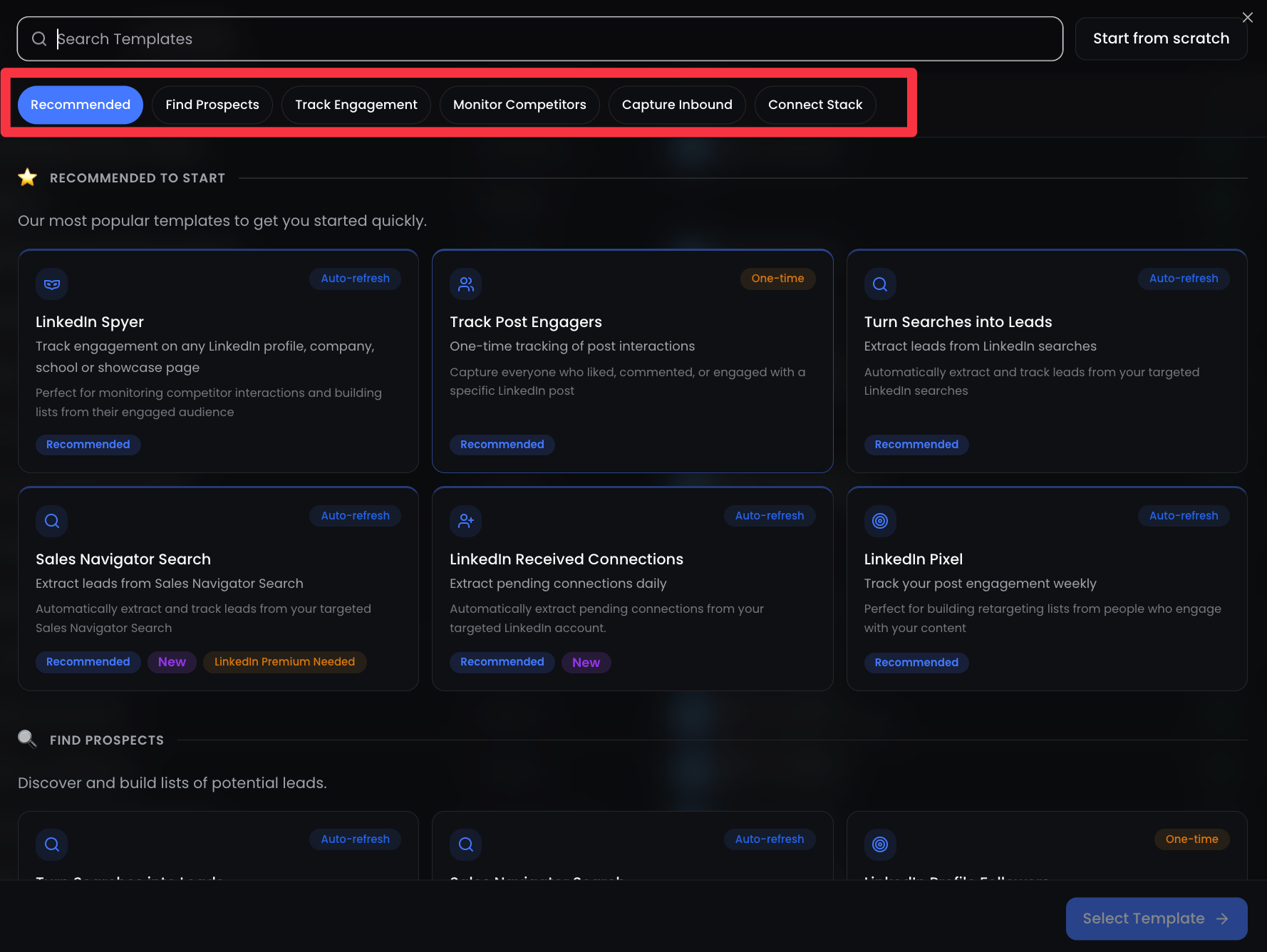
  • List Templates Reorganized: new categories (Recommended, Find Prospects, Track Engagement, Monitor Competitors, Capture Inbound, Connect Stack) to find the right template faster.

  • Accounts Analytics + Campaign Filter: filter your analytics by specific campaigns. Perfect for comparing performance.

  • Timezone Selection: Set the timezone per LinkedIn account. Your messages land during business hours, wherever your prospects are.

  • Campaign KPIs Improved: better overview + sort campaigns by leads, acceptance rate, or reply rate.

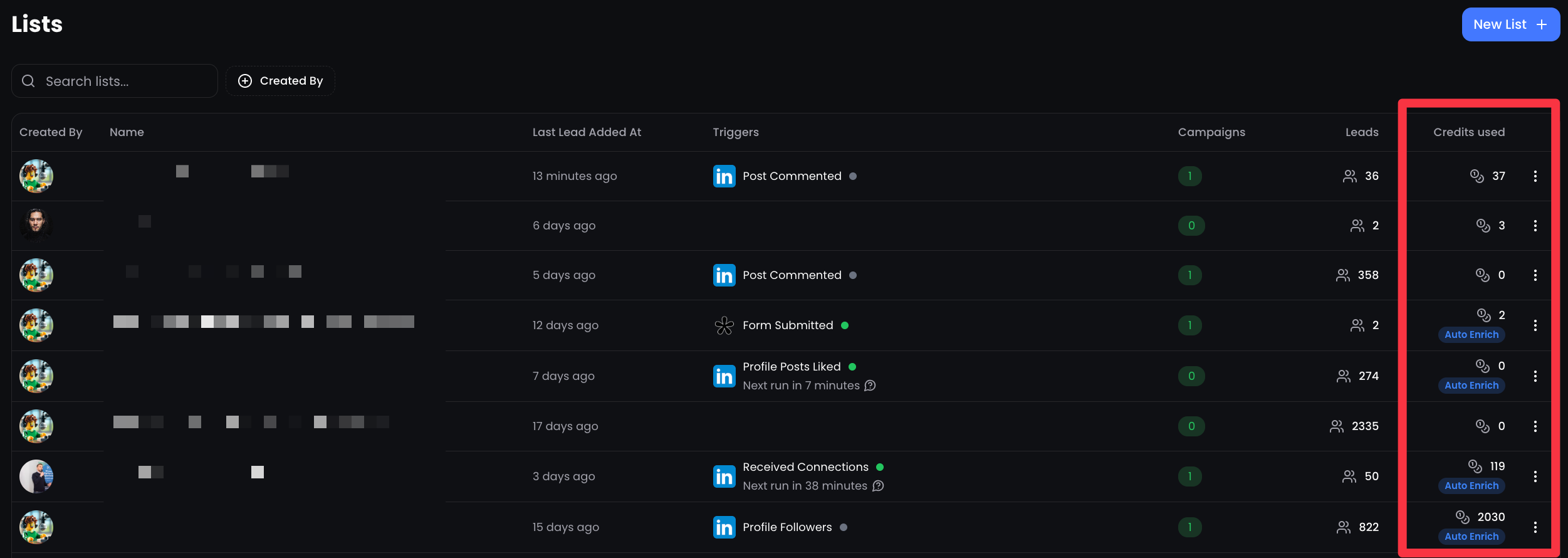
  • Credits Consumed per List: see exactly how many enrichment credits each list has used. Full transparency.

Credits Consumed per List

⚑ Performance Boost

  • Profile Retrieved Today limit increased: 150/day for standard accounts (was 100), 250 for LinkedIn Premium, 1,000 for Sales Navigator. More scraping power, same safety.

  • CSV Upload up to 10K leads: lists and exclusion lists now handle up to 10,000 leads per upload. Agencies, this one's for you.


πŸ‘‰ Try it now in your dashboard πŸ’™ Let us know which automation you want next!

François & The ReactIn Team ⚑

NewImprovedFixed

Earlier updates