March 20th, 2026
New
Improved

Hey GTM Experts 💙
This one's been cooking for weeks. And it might be the most powerful automation we've ever shipped.
Let's go 👇
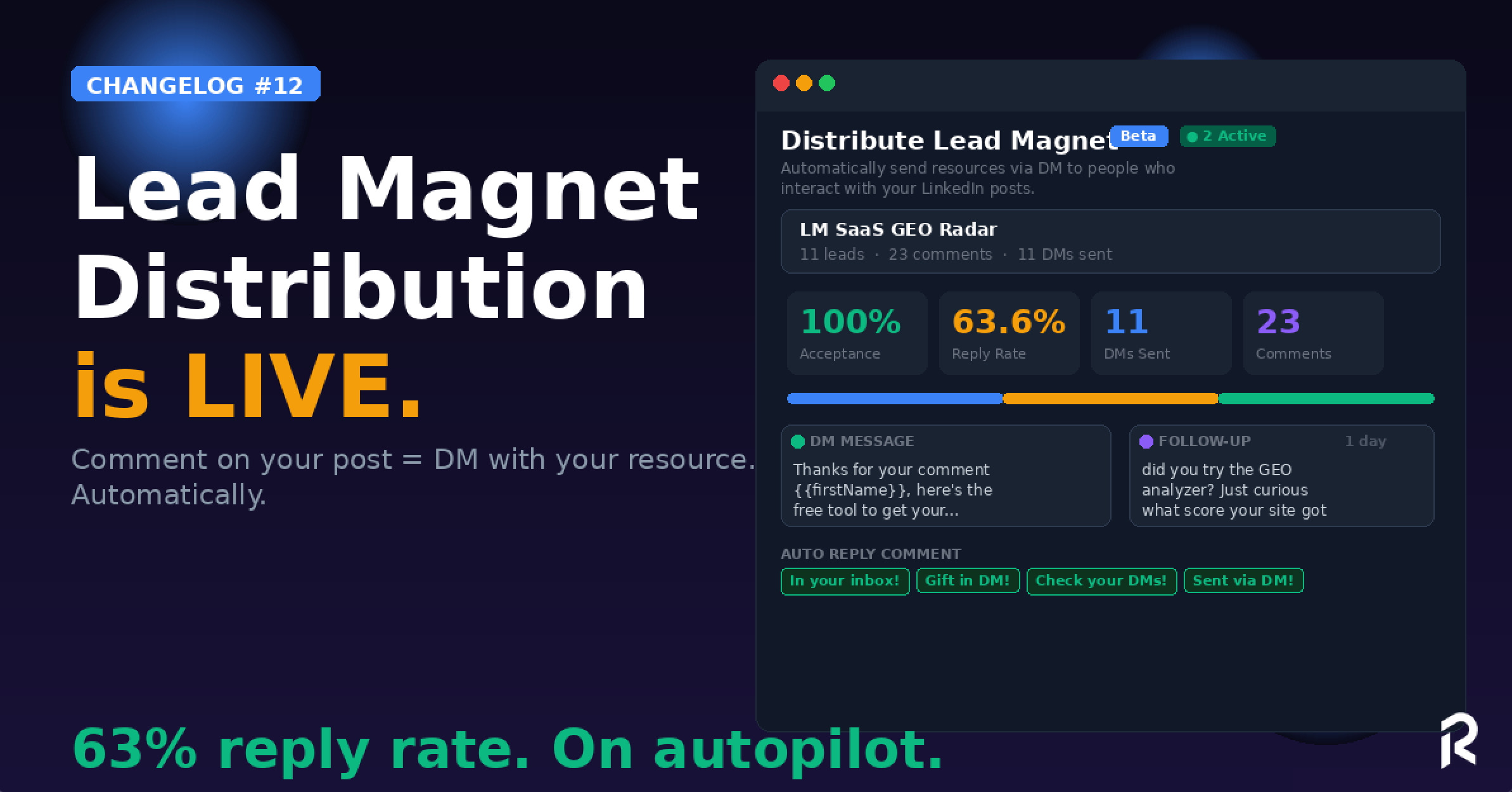
Someone comments on your LinkedIn post? ReactIn.io auto-sends your lead magnet via DM. Instantly.
Here's the full flow:
Link a LinkedIn post (your lead magnet post)
Set your DM message with + your resource link
Add a follow-up (optional, e.g. 1 day later: "did you check it out?")
Auto-reply to the comment (optional: "In your inbox!", "Gift in DM!", "Check your DMs!" or any custom reply)
Sit back. ReactIn handles the rest.
Already live on our own account with insane early results:
📊 11 leads, 23 comments, 11 DMs sent, 100% acceptance rate, 63.64% reply rate
That's not a typo. 63% reply rate. On autopilot.
The best part? It has priority over campaigns. Meaning your lead magnet DMs will always be sent first, before any other campaign message. Your hottest leads get served first.
Works in "Comments only" mode: only people who comment get the DM. No spam. Pure intent.
👉 Go to Automations → Distribute Lead Magnet → Add a post
Our Profile Followers scraper just got recurring.

You can now set it to scrape weekly, automatically. New followers from any LinkedIn profile (yours, a competitor's, an industry leader's) get added to your list every week.
No manual re-runs. Set it once, let it compound.
Perfect for:
Tracking who follows your competitors
Building retargeting lists that grow on autopilot
Feeding your campaigns with fresh ICP leads every week
👉 Try it now in your dashboard 💙 Which lead magnet are you going to distribute first?
François & The ReactIn Team ⚡
March 9th, 2026
New
Improved
Fixed

Hey GTM Experts 💙
Nearly one month since the last update. We've been heads down, shipping features that make ReactIn feel less like a tool and more like a system, and building in public as much as we can because we truly believe in building this journey with you!

Let's get into it 👇
This is the big one.
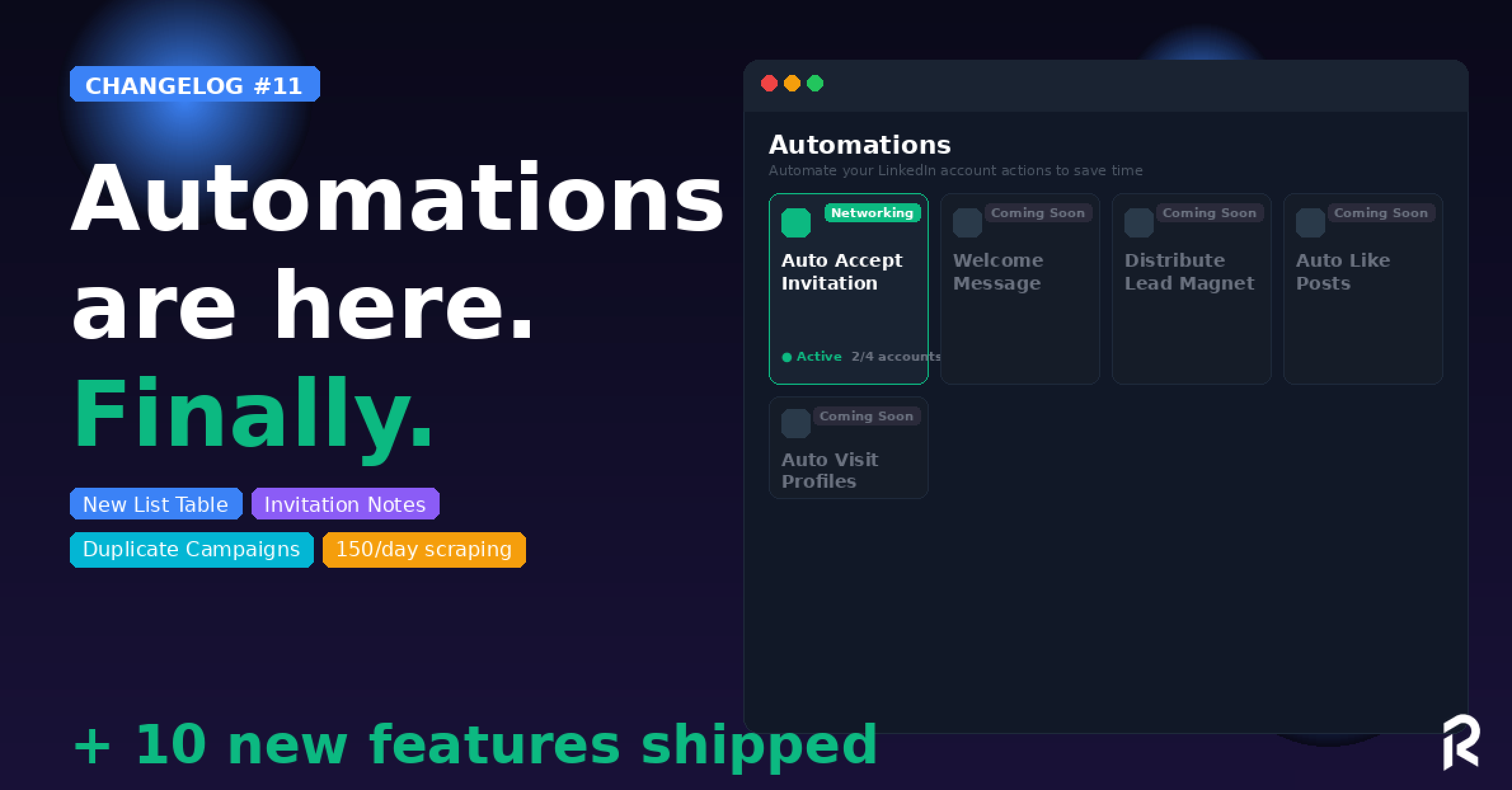
ReactIn now has a dedicated Automations section. We’re working on it to make this workflow easier than ever for our customers.
First automation live: Auto Accept Invitation ⚡️

Every invite is an opportunity. Now every invitation is accepted automatically, with an optional message.
And that's just the start. Coming very soon:
📩 Distribute Lead Magnet
👋 Welcome Message
❤️ Auto Like Posts
👀 Auto Visit Profiles
We're building the LinkedIn automation layer. One automation at a time.
👉 Try it now in your dashboard 💙
The List Table got a complete redesign.
New UI/UX, cleaner layout, and the big thing: full LinkedIn enrichment is now displayed directly in the table for any AI filter column you add.

Click on any lead → see their full LinkedIn profile details, about section, company info, right inside ReactIn. No more switching tabs.

👉 Try it now in your dashboard 💙
Two features, one workflow upgrade:
✅ Invitation Note: You can now add a personalized note to your connection requests. Optional, because sometimes a blank invite converts better.
✅ Post-Acceptance Delay: Set a wait time between the moment your invite is accepted and your first DM. No more instant messages that scream "bot."
Natural timing = better reply rates.

👉 Try it now in your dashboard 💙
You could already duplicate campaigns. Now you can copy the filters too.
One toggle. Your entire campaign setup, lists, filters, everything, cloned in seconds.
Perfect for scaling what works across segments or accounts.
For multi-list campaigns, you can now see performance broken down by source list.
Which Spyer converts best? Which Pixel list drives more replies? Now you know.
Data-driven optimization, not guessing.
New campaign filter option.
Until now, you could skip leads already messaged in the current campaign. Now you can skip leads already messaged in any ReactIn campaign, across all your campaigns.
Zero overlap. Zero double-messaging. Clean outreach at scale.

List Templates Reorganized: new categories (Recommended, Find Prospects, Track Engagement, Monitor Competitors, Capture Inbound, Connect Stack) to find the right template faster.
Accounts Analytics + Campaign Filter: filter your analytics by specific campaigns. Perfect for comparing performance.
Timezone Selection: Set the timezone per LinkedIn account. Your messages land during business hours, wherever your prospects are.
Campaign KPIs Improved: better overview + sort campaigns by leads, acceptance rate, or reply rate.
Credits Consumed per List: see exactly how many enrichment credits each list has used. Full transparency.

Profile Retrieved Today limit increased: 150/day for standard accounts (was 100), 250 for LinkedIn Premium, 1,000 for Sales Navigator. More scraping power, same safety.
CSV Upload up to 10K leads: lists and exclusion lists now handle up to 10,000 leads per upload. Agencies, this one's for you.
👉 Try it now in your dashboard 💙 Let us know which automation you want next!
François & The ReactIn Team ⚡
February 10th, 2026
New
Improved
Fixed

Hey GTM Experts 💙
Almost 2 months without a changelog. Why? Because we don't send emails that bore you. Just product updates when there's real stuff to talk about.
And there's A LOT to talk about 👇
We just crossed 100 unique paying customers, hundreds of LinkedIn accounts under management, and more and more growth freelancers and agencies making ReactIn part of their core GTM stack.
That's crazy. Thank you 🙏
And this year? We'll make ReactIn the best LinkedIn tool worldwide. The only platform designed for BOTH cold LinkedIn outreach AND intent-based outreach with native intents.
With strong results for you!

More guys? We're currently building: LinkedIn Company Followers scraper, FindPeople, Buyer Persona Lookalike, Review Platforms scraper... That's our DNA, and it's just getting started 🧬
Now let's talk for real, starting with the most amazing thing 👇👇👇
Maybe the only LinkedIn automation tool in the world offering this native enrichment/filtering capability!
No more guessing what AI columns to create.
We've added ready-to-use presets:
B2B or B2C? Instantly classify your leads
Is Matching My Target? Auto-score if a lead fits your ICP

One click. Zero prompt writing. Smarter segmentation from day one.

This one's big. And most of you were waiting for it!
You can now feed a single campaign with multiple lists. Combine your Spyer list + Pixel list + Event Attendees into one unified outreach flow.
One campaign. Multiple intent signals. Maximum coverage.

You can now duplicate any list and swap the LinkedIn account and/or the scraping URL in one click.
Running the same Spyer strategy across multiple accounts? Clone it, change the source, done.
No more rebuilding from scratch ⚡

Need more enrichment credits (LinkedIn data or AI columns)? You can now buy credit packs directly from your dashboard.
No plan change needed. Just top up when you need it.
Simple, predictable, transparent.
NB: yes, we’re dummies, until today it was impossible to buy more credits, FIXED 😂

In LinkedIn Accounts / Accounts Analytics.

You can now see full analytics per LinkedIn account: invites sent, accepted, DMs delivered, replies, reply rates, all in one view.
And yes, you can export it as a PDF. Perfect for agency reporting or sharing results with clients.

ReactIn now supports outgoing webhooks for external integrations. As GTM builders, you’ll LOVE IT 💙
Push lead data, campaign events, or list updates to your CRM, Slack, or any tool in your stack. Build the GTM system you need, your way.

For the builders: you can now create and manage campaigns programmatically via our API.
Automate campaign creation, connect it to your internal tools, or build custom workflows on top of ReactIn.
Docs are available from your dashboard in Help Center / Section 4. Or click here.
Manage campaigns from the campaign page: direct actions on lists without switching views
Filter "Only leads in network": target only your existing 1st-degree connections with messages
2nd Follow-up message: improved logic for your DM → FU1 → FU2 sequences
Infra ramp up: faster page loading across the entire app. You'll feel the difference.

Here's a very tailored-made system:
Step 1: Create 3 Spyer lists on your top competitors
Step 2: Create your Pixel list based on your own content
Step 3: Add the AI preset "Is Matching My Target?" on each list
Step 4: Feed all 4 lists into a single campaign with a filter: IsMatchingMyTarget = Yes
Step 5: Create a campaign based on those 4 lists, add a filter on the column IsMatchingMyuTarget with operator “CONTAINS” = “YES”
Result: one campaign, multiple intent sources, only ICP-matching leads. Clean, scalable, automated.
👉 Try it now in your dashboard 💙 Let us know your favorite feature, we might build around it next!
François & The ReactIn Team ⚡
November 28th, 2025

.
Who needs -25% when we can ship features that make you close more deals, right GTM buddies? 😉
You asked for it, we shipped it 💻
The industry shows that the 3rd message often drives the highest reply rate (up to +32%), so adding a second follow-up was a no-brainer.

You can now run sequences like:DM → Follow-Up → Follow-Up 2Perfect for cold outbound or intent-based nurturing.
A very special one for “expert”. You can now send messages only to your current 1st-degree network, without accidentally targeting new leads or triggering invites.

Use cases:
Send a message blast to your customers
Reactivate warm leads already connected
Nurture your existing network without touching your invite limit
Run community-only campaigns
We built an entirely new Workflow Library, a place where you can discover all our scrapers & automations you didn’t even know existed 👀
Go take a peek, you’ll see what I mean 👉 Open the new Workflow Library

👉 Try it now in your dashboard
💙 Let us know your favorite use case, we might feature it in the next blog article!
François & The ReactIn Team ⚡
November 21st, 2025
New

.
Yes, it’s a surprise.
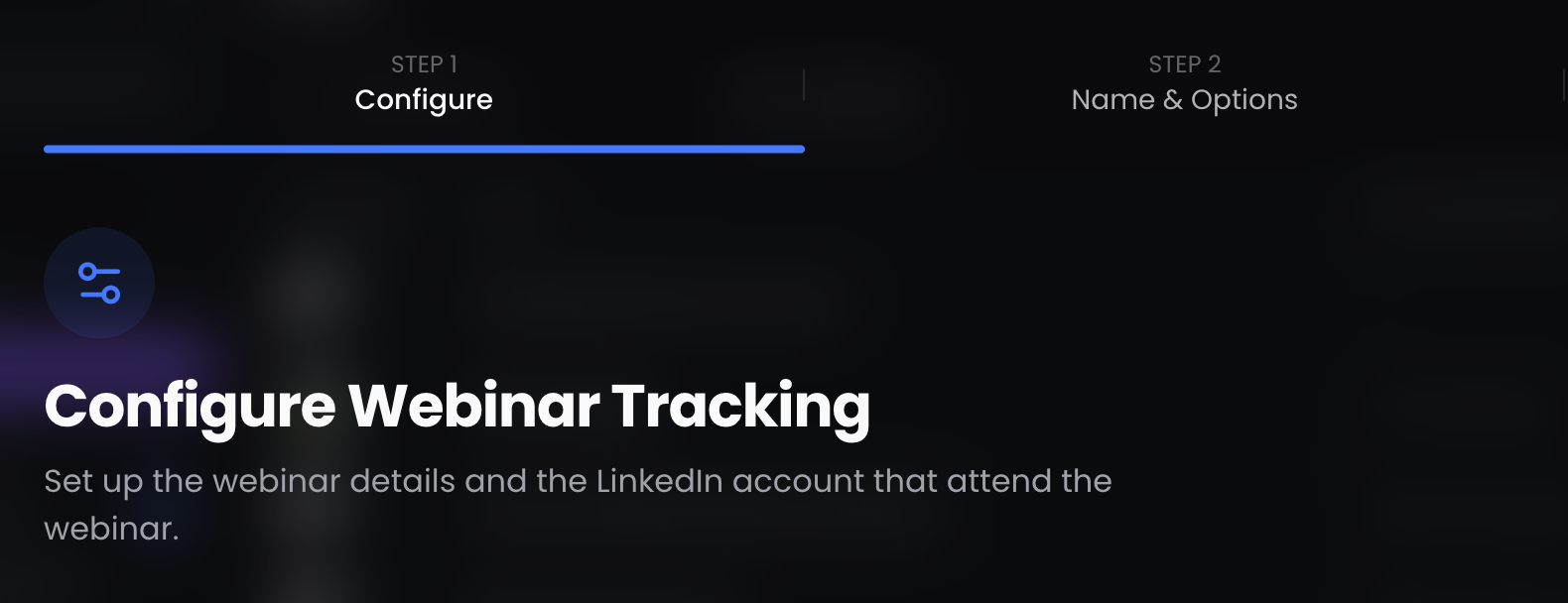
Yes, it works on ANY LinkedIn Events (Webinars, of course, but also all the others).
Yes, it extracts all the attendees.
And yes… your inbound-outbound game is about to get MASSIVE 🚀
ReactIn can now extract attendees from any LinkedIn event where people click “Attend”:

If it’s a LinkedIn event → you can scrape it 🔥
Webinars
LinkedIn Lives
Virtual summits
Physical meetups
Local networking events
Conferences
Workshops
Private or public events
⚠️ To be able to scrap it, you need at least, to attend the event.

All attendees automatically get:
First Name
Last Name
LinkedIn Profile URL
LinkedIn Headline
Clean. Straightforward. Ready to activate.
(And still free on every list.)
Need more depth?
Any advanced LinkedIn data field → 1 credit for all the data
Any AI column → 1 credit each
Simple, predictable, transparent.
Send your attendees’ list directly to ReactIn for outbound or download it as CSV.
Perfect for post-event follow-ups or segmentation.
Attend a LinkedIn event
Copy-paste the LinkedIn event link
Launch the scraper
Wait a few seconds
Boom, full attendee list enriched

It will be refreshed automatically every day for you, for 15 days in a row.
Works for any event. Anywhere. Anytime.
LinkedIn events = high-intent audiences.
People who click “Attend” are already telling you:
“I’m interested in this topic.”
Now you can finally:
Follow up instantly
Build warm outbound lists
Retarget event attendees
Segment by interest
Turn offline events into online pipelines
Event marketing just became measurable.
We’re not announcing it fully yet… but let’s just say:
It’s new.
It’s powerful.
And it’s going to 10x how you use ReactIn.
We built an entirely new Workflow Library, a place where you can discover all our scrapers & automations you didn’t even know existed 👀
Go take a peek, you’ll see what I mean 👉 Open the new Workflow Library

👉 Try it now in your dashboard
💙 Let us know your favorite use case, we might feature it in the next blog article!
François & The ReactIn Team ⚡
November 5th, 2025
New

Hey GTM Experts 💙
Two new features just dropped, and both are designed to help you scale personalization without spamming.
ReactIn lists just got muuuch sharper!

You can now extract:
Last Post Liked URL
Last Post Liked Text
Directly inside your Spyer or Pixel lists, and the best? FOR FREE, it doesn’t even cost enrichment credits 😉.
⚠️ It only applies to new SPYER and PIXEL
Set up a Spyer on an industry leader or competitor who regularly posts in your niche.
Filter your leads with the campaign filter block:PostLikedCount >= 3 AND ProfileHeadline CONTAINS {Ex: BuyerPersona keyword}

Send a hyper-personalized DM like:
“Hey , I’ve seen you on several posts about — would you be interested in a quick free audit to help solve and achieve ?”
🔒 Pro tip: Use Exclusion Lists to automatically remove competitors and current customers before running the campaign.
✅ Outcome: You turn engagement behavior into intent-based outreach: personalized, relevant, and scalable.
This one’s for your signal-based network growth playbooks.
You can now automatically skip sending DMs or invites to people you’re already connected with.
Step 1: Set up your Spyers
3 on your competitors
3 on industry leaders
3 on company pages relevant to your niche
💥 Goal: grow your network with high-quality, ICP-matching prospects.
Step 2: Use Campaign Filters
Send invitations only if:ProfileHeadline CONTAINS {Ex: BuyerPersona keywords}
Step 3: Activate your Pixel on your own LinkedIn profile
Your new connections will now see your posts and can be nurtured automatically.
Then, create a DM campaign triggered when:PostLikedCount >= 3 AND ProfileHeadline CONTAINS {BuyerPersona keywords}
Toggle ON:
“Skip already messaged leads.”
“Skip already messaged leads in this campaign.”
“Skip existing 1st degree connections”

Result: You’ll only engage new followers and connections with no existing conversation, thanking them for their support and offering value (e.g., free resource or audit).
👉 Try it now in your dashboard → Lists or Campaigns.
💙 Let us know your favorite use case, we might feature it in the next blog article!
NB: ReactIn just got shortlisted as one of the 43 tools to have to build your GTM stack 🔥

François & The ReactIn Team ⚡
September 29th, 2025
New
Improved

.
Hey, my Growth Experts 💰
Sorry for our silence these last 60 daysss, and it wasn’t because of holidays 😅
We’ve been heads down, building ReactIn V3, fully shaped by your last 6 months of feedback.
And yes… ReactIn is now 6️⃣ months old! Quick recap of our journey so far:
Mid-February → Launch → a few $MRR very fast
Mid-April → V2 release (we quickly crossed $1K MRR 💰)
Mid-September → V3 is here (big milestone ahead for MRR with more info to come 😊)

=> Manage all your LinkedIn conversations across accounts & campaigns in one clean inbox

LinkedIn Profile Followers → Build retargeting lists from competitor followers.
LinkedIn Profile Visitors → Build lists from people visiting your profile.
Received Connections → Daily extraction of pending connections.
Sales Navigator Search → Automatically extract + track leads from your Sales Nav searches.

New LinkedIn account connection via Email + Password.

We know how important it is to keep your outreach laser-focused on ICP leads and avoid wasting credits on irrelevant profiles or competitors. That’s why we’ve upgraded Exclusion Lists.
✅ Bulk Upload: Upload a CSV of hundreds of companies or LinkedIn profiles in one go. No more manual copy-paste.
✅ Company Broad Match: When you exclude “Apple,” ReactIn automatically excludes all company pages containing “Apple” in their name, and all employees tied to them.
✅ Dynamic Updates: Even if a campaign has already started, exclusions are applied until the invite/DM is actually sent. Meaning that you’re always in control.
👉 Try it today: Go to Exclusion Lists → Bulk Upload
Duplicate campaigns with new lists in 1 click

Export campaign history by action status (e.g., all invites accepted but no replies → export for follow-up by email/WhatsApp)

But also:
Live bot assistant 🤖
New flow at list creation 😍
“Quick Wins” help center page
Weekly performance recap email
Example:
Last Week (Sep 15–21)
🤝 Connections: 259 invites → 103 accepted (40%)
💬 Conversations: 379 messages → 83 replies (22%)
📈 Reply rate +1% vs week before
To thank you, subscribe to Growth Plan before Sunday 00:00 GMT (Paris time) and get 25% off for life. Use code: REACTINV3
👉 Try All Those New Features Now
Thanks for building the future of signal-based outreach with us ❤️
François & The ReactIn Team ⚡
July 15th, 2025
New

Hey 👋
We just dropped one of the most requested updates ever — especially for teams, growth freelances, and lead gen agencies running LinkedIn outreach at scale.
🎉🎉🎉
✅ Separate Users from LinkedIn Accounts

You can now:
Have your own user seat as a manager (no need to connect a LinkedIn)
Invite clients or team members to connect their LinkedIn accounts only
And… 🧠 only pay for active LinkedIn accounts, not every members

🧪 Next up on the roadmap:
🧵 Unified Inbox to reply to leads across all accounts, in one clean view
🔍 New Scrapers to catch even more LinkedIn signals — smarter & deeper
🧠 Pro Tip: Duplicate Campaigns to Scale What Works
Got a campaign with 25%+ reply rates? Don’t reinvent the wheel — scale it.
Duplicate it in one click
Change the SmartList
Personalize the intro (or offer) per client or segment
You go from 1 proven campaign → 10 custom variations, without rewriting from scratch.
⚡ Fast testing. Consistent messaging. Maximum reach.

Ready to test invite more members?
Thanks for building the future of signal-based outreach with us.
— François & The ReactIn Team ⚡️
July 15th, 2025
New

hey 👋 you were asking for it !! We did it 💙
So here’s what’s new this month inside ReactIn:
🔥 THE Main Feature Drop: Exclusion Lists
You can now exclude specific companies and/or LinkedIn profiles from your SmartLists and campaigns.
🛑 Want to avoid messaging competitors? Already contacted a partner? Just exclude them once — ReactIn takes care of the rest.
→ Available now under Exclusion Lists

⚙️ "Quality-of-Life" Upgrades
Here’s what else we shipped:
✅ Duplicate Campaigns in 1 click — for faster iteration

✅ View Campaign Invites & Messages directly from your campaign flow


✅ Transparency Boost: see LinkedIn daily/weekly limits at a glance in your account panel

✅ And finally, Better List Tables: cleaner enrichment between LinkedIn and AI tags
🧪 Then What’s Next?
Unified Inbox to manage replies (finally!)
User vs. LinkedIn Account permissions for better team control
A brand new LinkedIn scraper 👀
You’re gonna love what’s cooking from the team 💙
🧠 Pro Tip: Exclusion Lists + SmartLists = Clean Outreach
Mix your SmartLists with Exclusion Lists and you’ll avoid messaging:
Past leads already in your pipeline
Irrelevant profiles
Your own team or clients
Clean inputs → better results ⚡️
Ready to test the new features?
Thanks for building the future of signal-based outreach with us.
More magic coming soon ✨
— François & The ReactIn Team ⚡️
July 15th, 2025

It’s been 4 weeks since ReactIn officially launched.
Here’s what we’ve shipped, what’s changed, and what’s next 👇

✅ New Features & Improvements
Pixel & Spyer Ready
Auto-capture people engaging with your content or your competitors’—on autopilot.
→ More leads, less manual work.
SmartLists = Smarter (cf Screenshot below 👇)
Add filters, segment leads, enrich data with LinkedIn fields & AI smart columns (ex, is this lead B2B or B2C?).
SaaS Triggers FTW
You can now auto-DM every new signup, webinar attendee, Calendly call, or Typeform lead (using our API)
Campaign Rotation
Activate inbox rotation to send up to 80 DMs/day/account safely. Without hitting LinkedIn limits.
Send DMs without Invites
Perfect for reactivation or onboarding flows.
Infra Upgrade = Stability++
We’ve made ReactIn.io one of the safest LinkedIn automation tools in the world.

📊 In Just 4 Weeks:
325 users signed up
5,000+ invites sent
1,500+ DMs delivered
0 major crashes 🚀
💡 What's next?
More scrappers!
Campaign metrics export
SmartList templates v2
More AI automations
Thanks for riding with us this early.
François & The ReactIn Team ⚡️